
1)
Standard (saturation +1, sharpness +2, contrast +1)
- general use
Portrait (saturation +1, sharpness +2, contrast +1)
- love the flesh tones
Vivid (Sharpness +2, contrast +1)
- great for flora
2) This one i copied from one of the web
For Things
I set the sharpening to 5.
For photos of things, I usually start at VIVID and crank the saturation all the way up to +3. This gives me the psychedelic look I love.
For Accurate Product Colors in the Studio
I use STANDARD.
I prefer sharpenng set to 5.
I honestly have no idea if Nikon's ADR can work with studio strobes, so I turn it off and set contrast down to -1.
For People
For photos of people, I use NEUTRAL and set the saturation to +1. I prefer sharpenng set to 5.
STANDARD is less wild then VIVID, and NEUTRAL has even lower contrast.
You may prefer STANDARD and +1 or +2 Saturation.
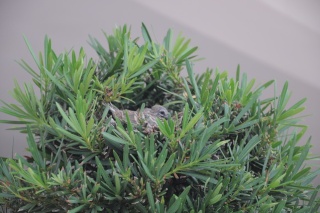
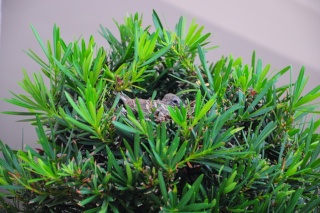
The example below is the different between (Normal Vivid + Sharpening = 7) and "For Thing" Setting which shown above.
1)(Normal Vivid + Sharpening = 7) (* i think its quite similar to standard setting)
2)sharpening= 5; VIVID with saturation +3 (For Thing setting)


this is really nice! i grabbed a piece of paper and copied it. :P thanks thanks :)
ReplyDeleteyou are welcome gate, i'm happy that you'd learned something from here.
ReplyDelete